A learning management system (LMS) for public academies and education foundations. From recruitment and selection to diagnosis, classes, assessment, mentoring, attendance and growth reports — one student's record never breaks.
A publicly funded education program needs selection, operation and reporting. Yet selection happens on paper, operation lives in spreadsheets, and reporting means gathering everything from scratch. A general learning management system (LMS) that only holds classes does not close that gap.
What the selection panel saw, what the teacher noticed in class, what the mentor heard — each sits somewhere else. Next term everyone starts over.
Enrolment, attendance, study volume and satisfaction all go into the report, but day-to-day records are scattered, so staff re-tally them in spreadsheets.
Programs handle minors' personal data, often without a mechanism for guardian consent or access logging.
Each stage carries into the next. No re-entering the accepted list; diagnosis results become the study plan, and class records become the report.
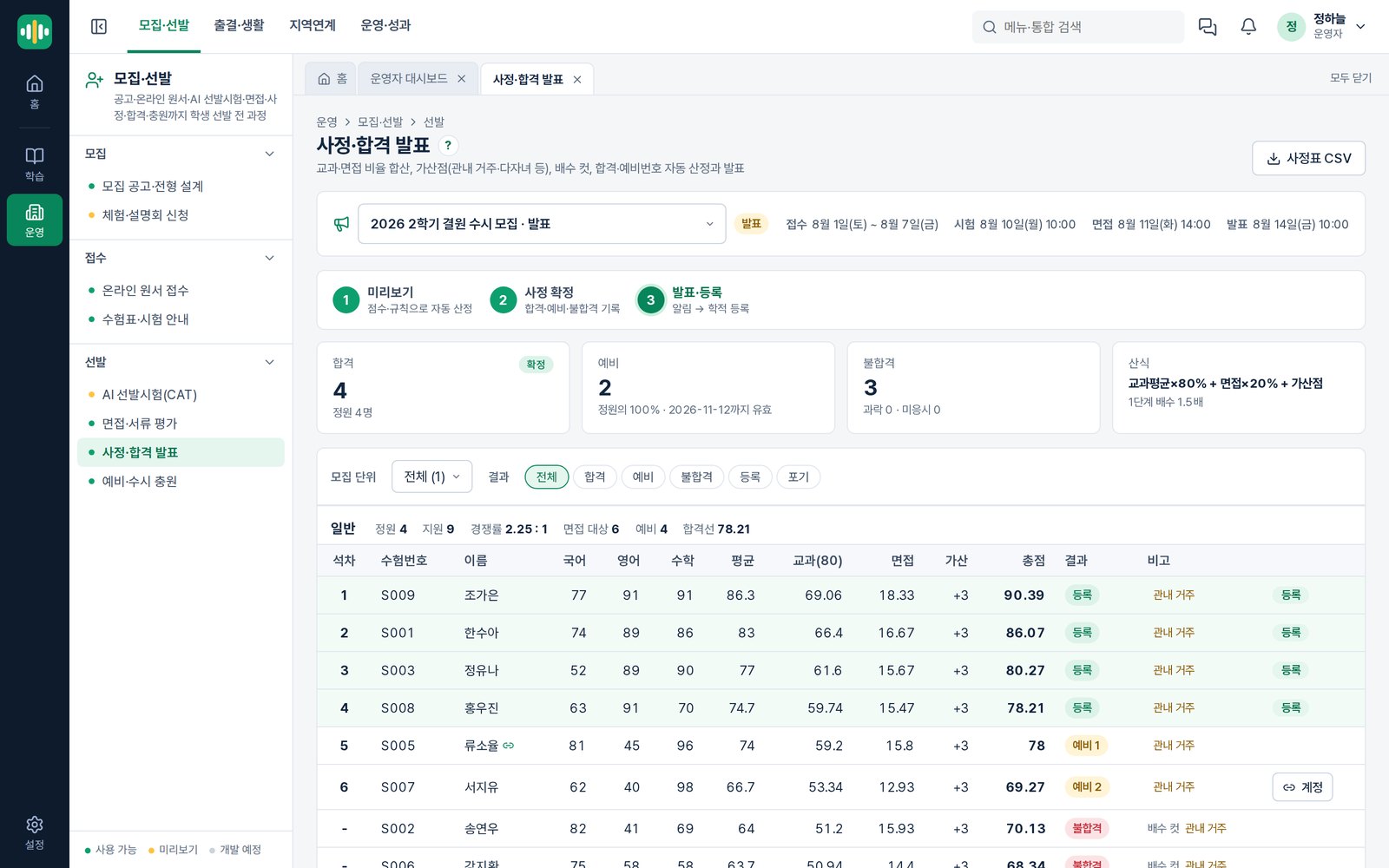
Posting the announcement, receiving applications, scoring them and publishing results all finish inside one system.
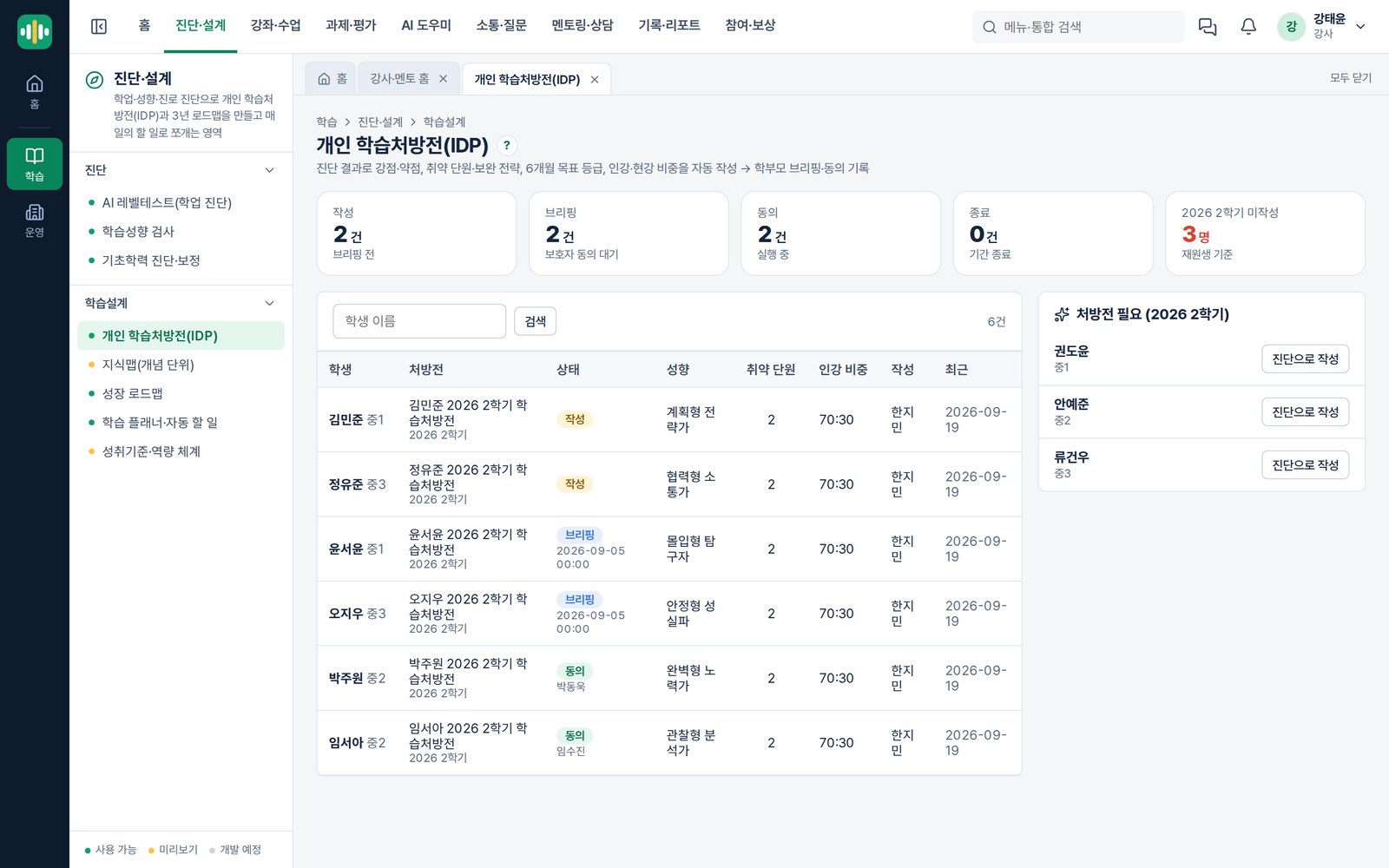
No separate interpretation step. When diagnosis finishes, each student gets an individual study plan and roadmap, broken down into daily tasks.
An AI that gives the answer does not help a student. The EDUSONIC tutor turns the solution path back into questions, and passes the weak concepts it uncovers to the teacher in charge.
It works from the class materials. When a student is stuck it raises the hint level step by step, and teachers can read the whole conversation.
For questions posted in the Q&A board, it drafts a reply from class materials, question-bank explanations and past answers, and shows which sources it used. Nothing is published until a teacher confirms it.
One system, different screens. A student sees today's tasks; an administrator sees the whole program.
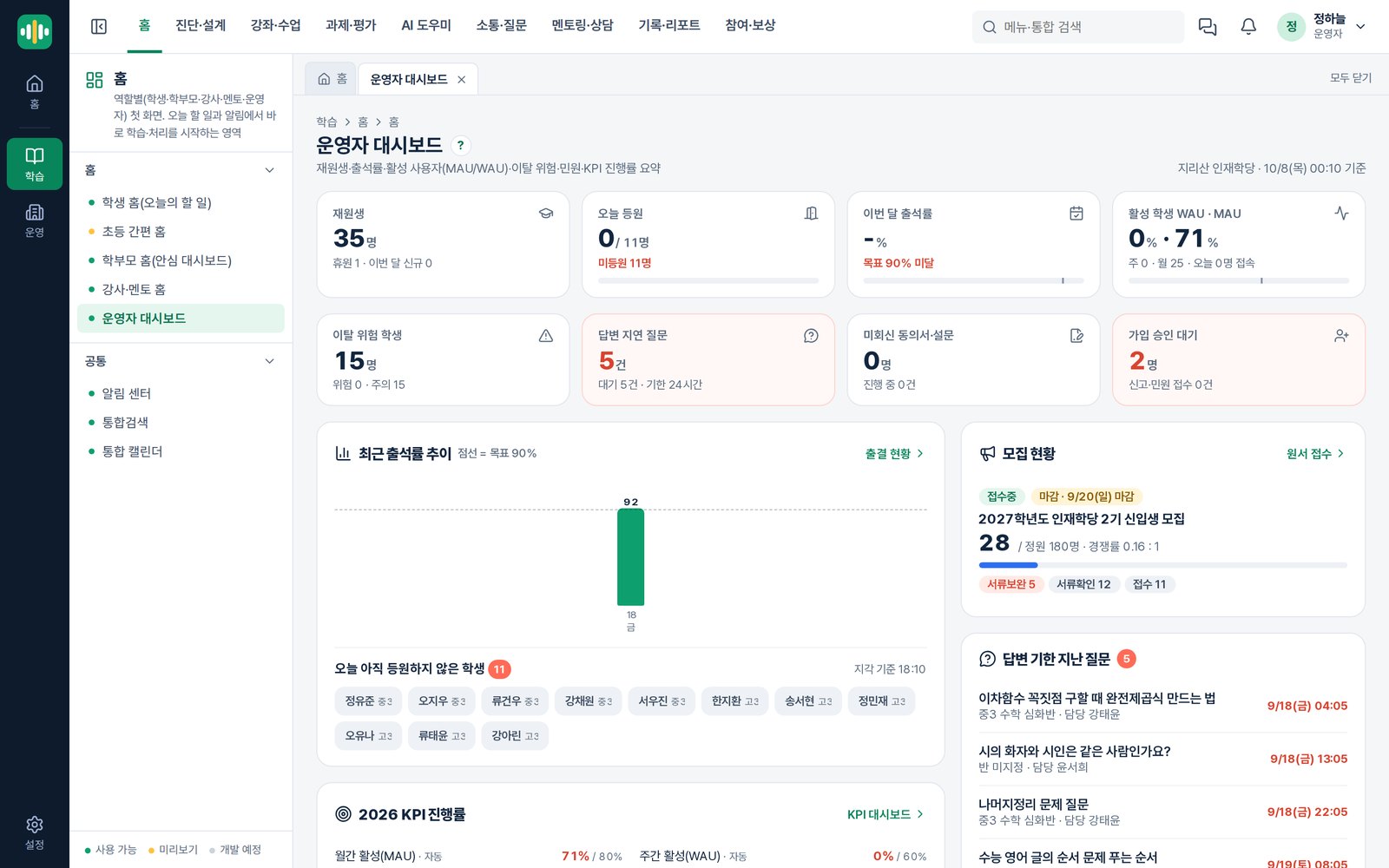
Recruitment progress, attendance, students who need a conversation, and how indicators are tracking.
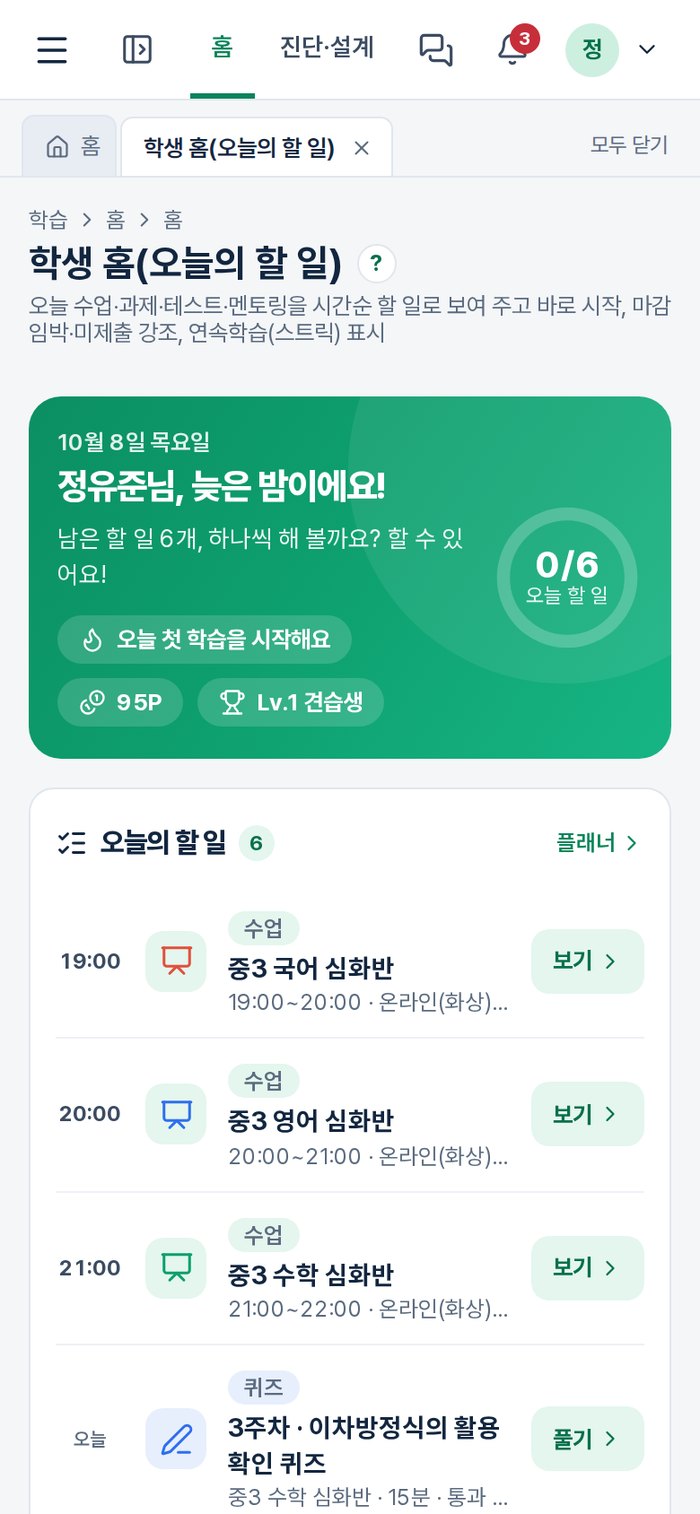
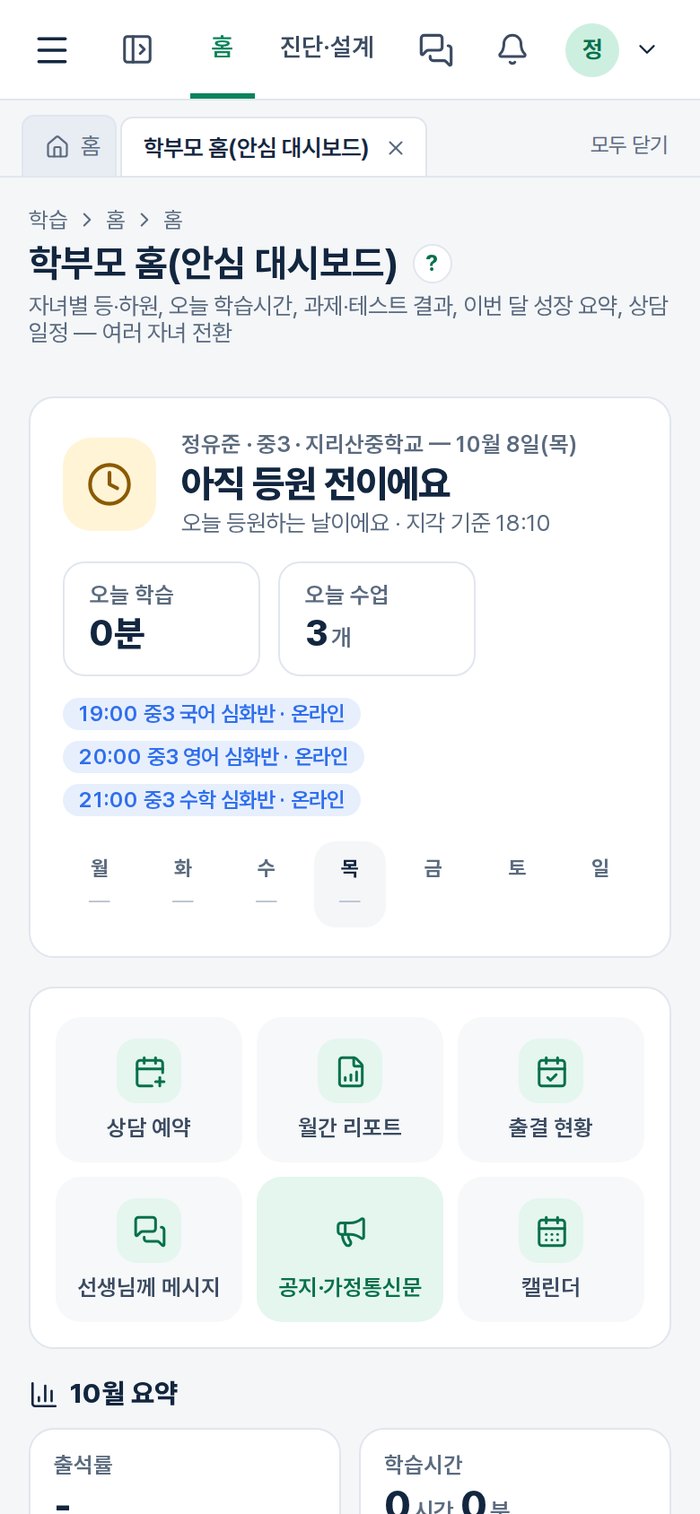
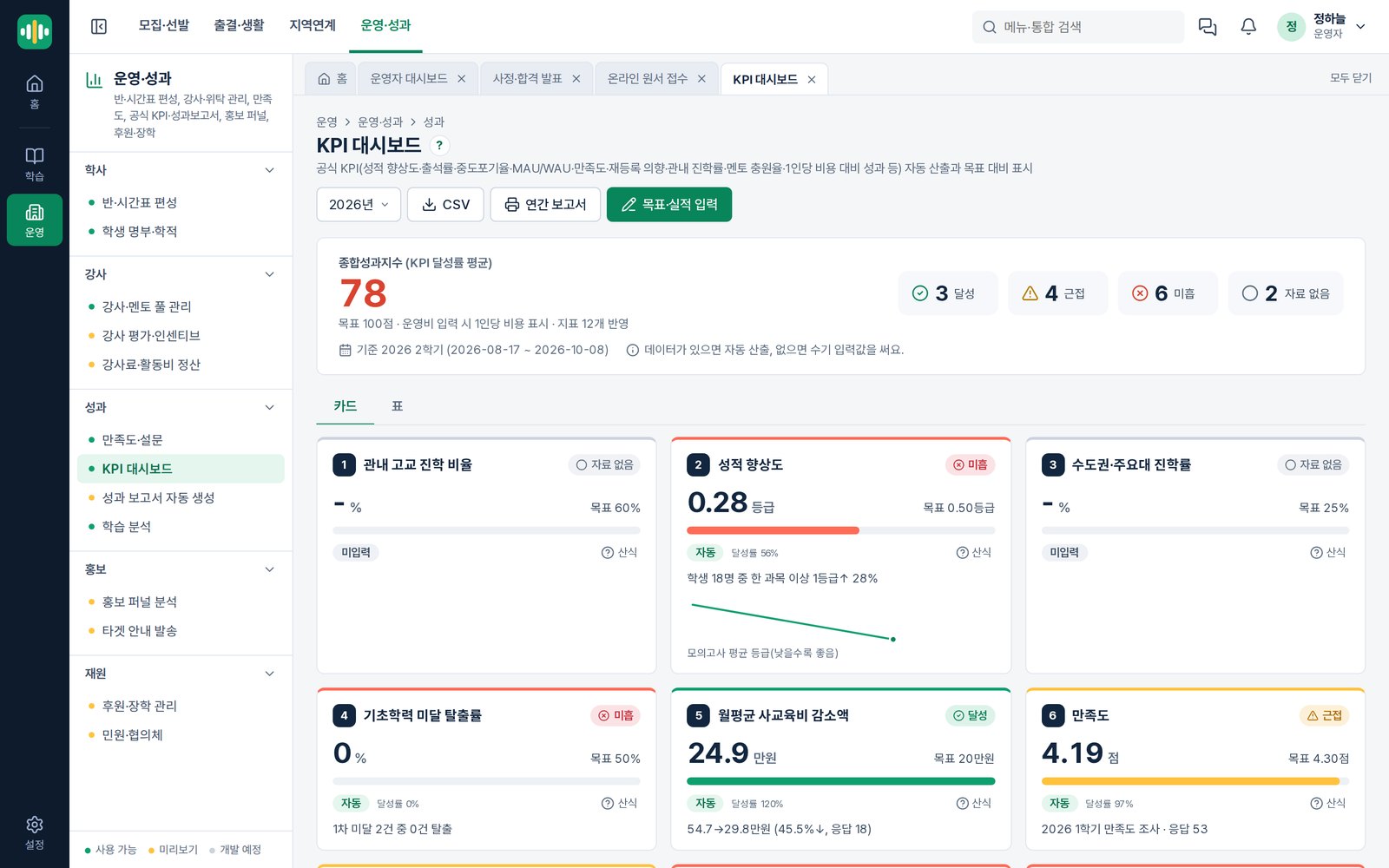
Official indicators such as enrolment, attendance, study volume and satisfaction are derived from everyday operating records. Progress against target is visible immediately, and indicators without data fall back to manual entry.
Public education programs handle minors' personal data. We built the safeguards into the product rather than leaving them to policy.
Accounts for under-14s stay closed until guardian consent completes. Consent is collected separately per purpose.
Who opened which student's sensitive data, and when, is recorded.
Significant changes and approvals are preserved so they can be traced later.
Enabled with the institution's own API key; administrators set the scope and limits per feature.
A typical LMS stops at classes and content. EDUSONIC covers what comes before and after. Before: announcements, online applications, interview scoring, review and results. After: mentoring, attendance, growth reports and program indicators — all on the same record. Public education programs never end at the classroom; selection and reporting always follow.
Basic data such as student rosters and attendance can be uploaded from spreadsheets. It depends on the format, so show us your current files when you get in touch and we will tell you what is possible.
Yes, module by module. Some programs use only recruitment and selection; others focus on classes and mentoring.
No. Everything runs with AI switched off. When enabled, it connects through your own API key, and administrators set the scope and limits per feature.
It runs in a phone browser with no installation, and the student and guardian screens are deliberately light. There is also a device lending module.
It depends on the scope and how much data needs migrating. Get in touch and we will size the schedule against your situation.
Feature walkthrough, trial account, quotation — we can help with all three. We reply within one business day.